

In the bustling economic hub of the Greater Toronto Area (GTA), businesses face a growing threat that extends far beyond traditional competition. Cyberattacks are becoming increasingly sophisticated and frequent, posing a significant risk to organizations of all sizes. The question is no longer *if* a business will be targeted, but *when* – and whether they will be prepared.
Many GTA businesses, particularly small to medium-sized businesses (SMBs), operate with a reactive approach to IT security, addressing issues only as they arise. This strategy is becoming increasingly unsustainable in the face of rapidly evolving cyber threats. The alternative – a proactive, security-first approach to managed IT services – is essential for protecting valuable data, maintaining business continuity, and ensuring long-term success. It’s time to examine the stakes, understand the threats, and explore why proactive IT support is no longer a luxury, but a necessity.
Beyond the Headlines: Why GTA Businesses Are Prime Cyberattack Targets in 2026
The Rise of Ransomware-as-a-Service (RaaS) and Its Impact on Small Businesses
The evolution of cybercrime has led to the emergence of Ransomware-as-a-Service (RaaS), a business model that allows even inexperienced criminals to launch sophisticated ransomware attacks. RaaS platforms provide ready-made tools and infrastructure, significantly lowering the barrier to entry for cybercriminals. This means that even small businesses in the GTA, which may have previously been considered too small to target, are now vulnerable. The financial incentives for these attackers are clear: a successful ransomware attack can yield significant profits, especially when targeting businesses that rely heavily on their data and cannot afford extended downtime.
GTA’s Economic Attractiveness as a Lure for Cybercriminals
The GTA’s robust economy and diverse industries make it an attractive target for cybercriminals. The region is home to a wide range of businesses, from financial institutions and law firms to manufacturing companies and retailers, all of which possess valuable data that can be monetized. Furthermore, the GTA’s concentration of businesses creates a network effect, where a successful attack on one organization can potentially compromise others. This interconnectedness amplifies the risk for all businesses in the region and underscores the need for comprehensive cybersecurity measures.
Common Vulnerabilities Found in SMB IT Infrastructure
Many SMBs in the GTA operate with outdated or poorly configured IT infrastructure, making them easy targets for cyberattacks. Common vulnerabilities include unpatched software, weak passwords, lack of multi-factor authentication, and inadequate firewall protection. Additionally, many businesses lack employee training on cybersecurity best practices, leaving them susceptible to phishing and social engineering attacks. Addressing these vulnerabilities requires a comprehensive assessment of the IT infrastructure, followed by the implementation of appropriate security measures and ongoing monitoring. For instance, regular security audits, vulnerability scanning, and penetration testing can help identify and address weaknesses before they can be exploited. Businesses can also look to Cybersecurity First: Managed IT Services to build out a more robust security posture.
Reactive vs. Proactive IT: The Critical Difference for GTA Businesses
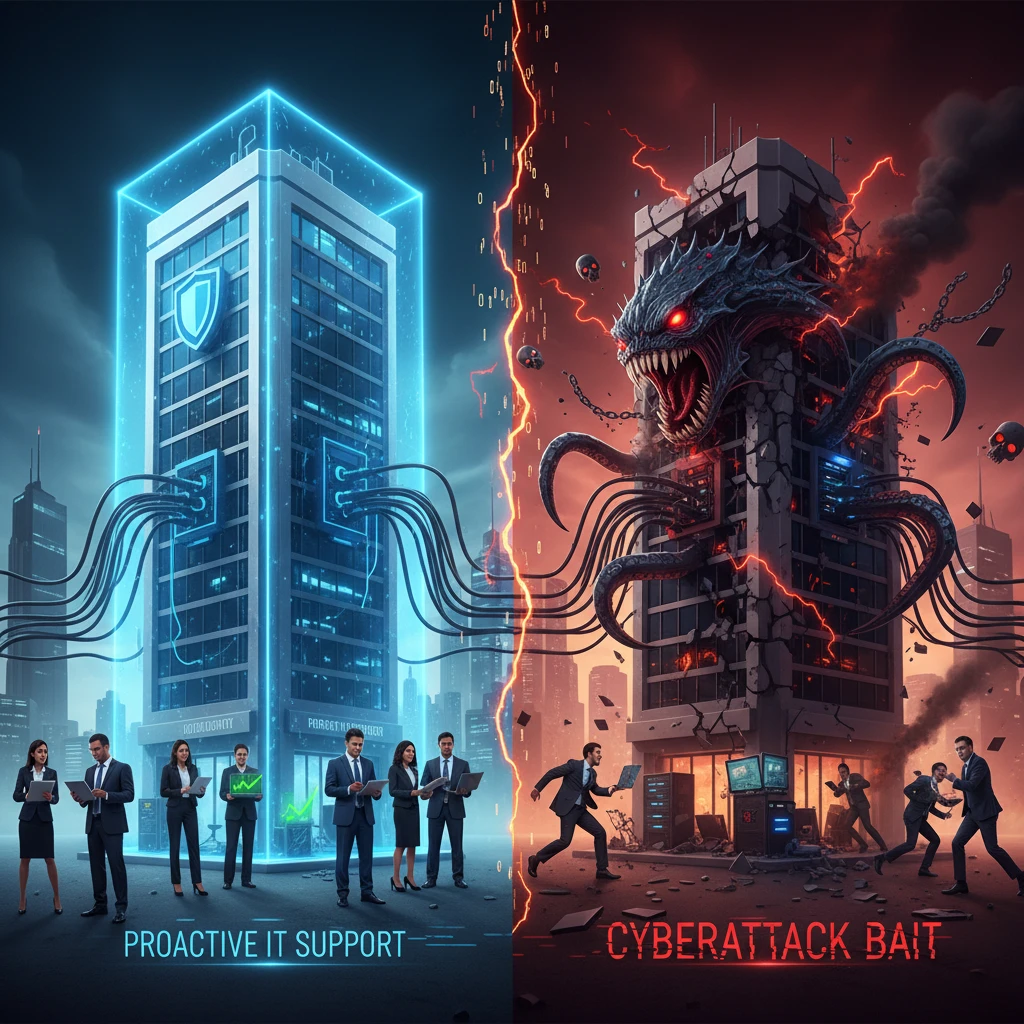
Defining Reactive IT: Waiting for Disaster to Strike
Reactive IT is a break-fix approach, where IT support is only sought when a problem arises. This approach leaves businesses vulnerable to costly downtime, data loss, and reputational damage. Think of it like waiting for your car to break down completely before taking it to a mechanic. The damage is already done, and the repair costs are likely to be much higher than if you had performed regular maintenance. In the context of cybersecurity, a reactive approach means waiting for a cyberattack to occur before taking action. This is a risky strategy, as the damage can be severe and the recovery process can be lengthy and expensive.
The Proactive Approach: Preventing Problems Before They Happen
A proactive approach to IT involves continuous monitoring, regular maintenance, and proactive security measures to prevent problems before they occur. This approach is like taking your car in for regular maintenance to ensure that it runs smoothly and reliably. In the context of cybersecurity, a proactive approach means implementing security measures to prevent cyberattacks from happening in the first place. This includes regularly patching software, implementing multi-factor authentication, providing employee training on cybersecurity best practices, and continuously monitoring the network for suspicious activity. You can even boost GTA Business Productivity & Security with a proactive Managed IT services. Proactive IT aims to minimize downtime, protect data, and maintain business continuity.
Cost Comparison: Reactive vs. Proactive IT in the Long Run
While a reactive IT approach may seem cheaper in the short term, it can be significantly more expensive in the long run. The costs associated with a cyberattack, such as downtime, data recovery, legal fees, and reputational damage, can far outweigh the cost of proactive IT services. A proactive approach provides predictable costs and reduces the risk of unexpected expenses. For example, a ransomware attack can cost a small business tens of thousands of dollars in ransom payments, downtime, and recovery costs. In contrast, a proactive managed IT services provider may charge a fixed monthly fee that covers all necessary security measures, providing peace of mind and predictable IT costs.
The Tangible Risks of Neglecting IT Security: Real-World Examples in the GTA
Case Study 1: Data Breach at a Local Law Firm and the Resulting Financial Penalties
Example: A small law firm in Mississauga experienced a data breach in late 2025 due to unencrypted client data stored on a compromised server. The breach resulted in the exposure of sensitive client information, including financial records and personal details. The firm faced significant financial penalties under privacy regulations, totaling $75,000 in fines. Additionally, they incurred $30,000 in legal fees and $15,000 in IT recovery costs. The firm also suffered reputational damage, leading to a loss of clients and a decrease in revenue.
Case Study 2: Ransomware Attack on a Manufacturing Company and Production Downtime
Example: A manufacturing company in Brampton fell victim to a ransomware attack that encrypted critical production data. The company was forced to shut down its production lines for five days, resulting in significant financial losses. The ransom demand was $50,000, but the company ultimately decided to restore from backups. However, the restoration process took several days, and the company lost $100,000 in revenue due to the downtime. They also had to invest $25,000 in new security measures to prevent future attacks.
Case Study 3: Phishing Scam Targeting Employees and Compromised Customer Data
Example: A retail company in Toronto had several employees fall victim to a phishing scam that compromised their email accounts. The attackers gained access to customer data, including credit card information and personal details. The company faced significant reputational damage and lost customer trust. They also incurred $20,000 in IT investigation costs and had to offer free credit monitoring to affected customers, costing them an additional $10,000. The company also experienced a decrease in sales due to the negative publicity.
Key Cybersecurity Threats Facing GTA Businesses in 2026
Phishing and Social Engineering: The Human Element of Security
Phishing and social engineering attacks exploit human vulnerabilities to gain access to sensitive information. These attacks often involve deceptive emails, phone calls, or text messages that trick employees into revealing their passwords or other confidential data. The human element remains one of the weakest links in cybersecurity, as even the most sophisticated security systems can be bypassed if an employee falls victim to a phishing scam. Regular employee training on how to identify and avoid phishing attacks is essential for mitigating this risk. Simulated phishing exercises can also help employees learn to recognize suspicious emails and report them to IT.
Ransomware Attacks: Extortion Through Data Encryption
Ransomware attacks involve encrypting a victim’s data and demanding a ransom payment in exchange for the decryption key. These attacks can cripple businesses by disrupting operations and causing significant financial losses. Ransomware attacks are becoming increasingly sophisticated, with attackers targeting specific vulnerabilities and using advanced encryption techniques. Prevention is key to mitigating the risk of ransomware attacks. This includes implementing strong endpoint protection, regularly backing up data, and educating employees on how to avoid phishing scams and malicious websites. GTA Businesses: Are You Prepared for the Next Cyber Threat? It’s a vital question.
Malware and Viruses: Hidden Threats to System Integrity
Malware and viruses are malicious software programs that can infect computer systems and cause a variety of problems, including data loss, system crashes, and security breaches. These threats can be spread through infected files, websites, or email attachments. Protecting against malware and viruses requires implementing robust antivirus software, regularly scanning systems for malware, and keeping software up to date with the latest security patches. Businesses should also implement application whitelisting to prevent unauthorized software from running on their systems.
Insider Threats: Risks from Within the Organization
Insider threats refer to security risks that originate from within the organization, either intentionally or unintentionally. These threats can be caused by disgruntled employees, negligent employees, or compromised accounts. Insider threats can be difficult to detect, as they often involve individuals who have legitimate access to sensitive data. Implementing strong access controls, monitoring employee activity, and conducting regular security audits can help mitigate the risk of insider threats. Background checks on new employees and regular security awareness training can also help prevent insider threats from occurring.
The Proactive IT Support Checklist: 7 Steps to Secure Your GTA Business
1. Vulnerability Assessments and Penetration Testing
Regularly assessing your IT infrastructure for vulnerabilities is crucial for identifying and mitigating potential weaknesses before they can be exploited by cybercriminals. This involves performing both vulnerability assessments and penetration testing. Vulnerability assessments use automated tools to scan your systems for known vulnerabilities, while penetration testing (often called “ethical hacking”) simulates real-world attacks to identify vulnerabilities that automated tools might miss. A thorough assessment should cover all critical systems, including servers, workstations, network devices, and web applications. Decision criteria for choosing a vulnerability assessment tool or provider include the frequency of vulnerability database updates, the breadth of vulnerability coverage, and the ability to customize the assessment to your specific environment. For instance, a law firm in downtown Toronto might need to test its document management system specifically. Pitfalls to avoid include relying solely on automated scans without manual review and failing to remediate identified vulnerabilities promptly. Actionable steps include scheduling regular vulnerability assessments (at least quarterly), prioritizing remediation based on risk level, and documenting all findings and remediation efforts. It’s also important to verify that vulnerabilities have been successfully addressed through retesting. Third-party assessments from a reputable cybersecurity firm can bring an objective perspective.
2. Managed Antivirus and Anti-Malware Solutions
While basic antivirus software is a start, managed antivirus and anti-malware solutions offer a more comprehensive level of protection. These solutions not only detect and remove malware but also provide centralized management, real-time threat monitoring, and automated updates. This is particularly important for businesses with multiple devices, as it ensures that all systems are protected with the latest security definitions. Look for solutions that include features such as behavioral analysis, heuristic detection, and ransomware protection. Decision criteria include the solution’s detection rates, its impact on system performance, and the availability of 24/7 support. A manufacturing company in Brampton, for example, should prioritize solutions that can protect against industrial control system (ICS) malware. Pitfalls include using outdated antivirus software, failing to configure the software correctly, and neglecting to monitor alerts. Actionable steps include implementing a managed antivirus solution, configuring it to automatically update and scan systems regularly, and monitoring alerts for suspicious activity. You should also integrate threat intelligence feeds to stay ahead of emerging threats. Remember, GTA cybersecurity goes beyond basic antivirus in today’s threat landscape.
3. Employee Cybersecurity Training and Awareness Programs
Employees are often the weakest link in an organization’s cybersecurity defenses. Cybercriminals frequently use phishing attacks and social engineering tactics to trick employees into divulging sensitive information or installing malware. A comprehensive cybersecurity training and awareness program can help employees recognize and avoid these threats. Training should cover topics such as phishing awareness, password security, safe browsing habits, and data protection policies. Decision criteria for choosing a training program include its relevance to your industry, its level of interactivity, and its ability to track employee progress. A marketing agency in Toronto, for instance, needs specific training on protecting client data and avoiding social media scams. Pitfalls include providing infrequent or ineffective training, failing to tailor the training to specific roles, and neglecting to test employees’ knowledge. Actionable steps include conducting regular cybersecurity training sessions, simulating phishing attacks to test employee awareness, and reinforcing security policies through ongoing communication. Ensure training addresses the latest threats, like AI-powered phishing, and meets industry-specific compliance requirements. You can supplement internal training with resources from organizations like the Canadian Centre for Cyber Security. (cyber.gc.ca)
4. Regular Data Backups and Disaster Recovery Planning
Data loss can be catastrophic for any business, whether it’s caused by a cyberattack, a hardware failure, or a natural disaster. Regular data backups and a well-defined disaster recovery plan are essential for ensuring business continuity. Backups should be performed frequently (ideally daily) and stored in a secure location, both on-site and off-site. A disaster recovery plan should outline the steps required to restore critical systems and data in the event of an incident. Decision criteria for choosing a backup solution include its reliability, its speed of recovery, and its cost-effectiveness. A construction company in the GTA, for example, needs to back up large CAD files and project management data efficiently. Pitfalls include failing to test backups regularly, storing backups in the same location as the primary data, and neglecting to update the disaster recovery plan. Actionable steps include implementing a backup solution, scheduling regular backups, testing the recovery process periodically, and updating the disaster recovery plan at least annually. Consider using cloud-based backup solutions for enhanced redundancy and accessibility. Think of this as an investment in cybersecurity as a GTA business continuity measure.
Understanding the Role of Managed IT Services in Cybersecurity
24/7 Monitoring and Alerting: Continuous Protection Against Threats
One of the key benefits of managed IT services is 24/7 monitoring and alerting. This means that your IT systems are constantly monitored for suspicious activity, and alerts are generated whenever a potential threat is detected. A managed IT services provider (MSP) can then investigate these alerts and take appropriate action to mitigate the threat, often before it can cause any damage. This proactive approach to security is essential for protecting your business from cyberattacks that can occur at any time, day or night. 24/7 monitoring also includes log analysis, looking for anomalies that might indicate a breach. MSPs use specialized tools to aggregate and analyze logs from various systems, providing a comprehensive view of your security posture. The faster the response, the less the damage from incidents. A restaurant chain with locations across the GTA could benefit from this continuous monitoring, ensuring that all locations are protected even outside of regular business hours, for example preventing point-of-sale system compromises. The goal is to catch things before they evolve into a full-blown ransomware attack.
Patch Management and Software Updates: Keeping Systems Up-to-Date
Software vulnerabilities are a major target for cybercriminals. Patch management and software updates are critical for addressing these vulnerabilities and keeping your systems secure. Managed IT services providers typically offer patch management as part of their service, ensuring that all software on your systems is up-to-date with the latest security patches. This includes operating systems, applications, and firmware. A robust patch management process involves not only applying patches promptly but also testing them in a controlled environment before deploying them to production systems. This helps to prevent unintended consequences, such as application incompatibility or system instability. For example, an accounting firm needs assurances its tax software is always patched. Delays in patching are a major source of exploits. Furthermore, keeping an inventory of software on your network makes compliance much easier. Ignoring updates for legacy systems is a common security risk.
Security Information and Event Management (SIEM): Advanced Threat Detection
Security Information and Event Management (SIEM) systems provide advanced threat detection capabilities by collecting and analyzing security data from various sources across your network. This data is then correlated to identify patterns and anomalies that may indicate a security incident. SIEM systems can also automate incident response, such as isolating infected systems or blocking malicious traffic. This helps to reduce the time it takes to detect and respond to threats, minimizing the potential damage. A good SIEM setup uses machine learning to detect unusual behavior. SIEM solutions also aid in compliance reporting by providing detailed audit trails of security events. A SIEM system isn’t a magic bullet. It requires expertise to configure and maintain. Small businesses can also benefit from SIEM as a service, where a managed security provider handles the implementation and management of the system. Consider a small e-commerce company in Markham: a SIEM can detect unusual activity on their web servers, alerting them to a potential SQL injection attack before customer data is compromised.
Choosing the Right Managed IT Services Provider (MSP) in the GTA: Key Considerations
Experience and Expertise in Cybersecurity
When selecting an MSP, prioritize those with proven experience and expertise in cybersecurity. Ask about their certifications, their security incident response experience, and their knowledge of the latest threats and vulnerabilities. Look for MSPs that employ certified cybersecurity professionals (e.g., CISSP, CISM) and that have a track record of successfully protecting their clients from cyberattacks. The MSP should be able to demonstrate a deep understanding of security best practices and compliance requirements. It’s also beneficial to choose an MSP that specializes in your industry, as they will have a better understanding of the specific security challenges you face. For example, a healthcare clinic requires a partner knowledgeable about PHIPA compliance. Don’t hesitate to ask for case studies or references from other clients in your industry. An inexperienced MSP can leave you exposed to significant risks.
Proactive Approach and Service Level Agreements (SLAs)
A proactive approach to IT support and cybersecurity is essential. The MSP should be able to identify and address potential problems before they impact your business. Look for MSPs that offer proactive monitoring, regular security assessments, and automated patch management. Service Level Agreements (SLAs) are crucial for defining the MSP’s responsibilities and ensuring that you receive the level of service you expect. The SLA should specify response times, uptime guarantees, and other key performance indicators (KPIs). Carefully review the SLA to ensure that it meets your business needs. An SLA should also outline the escalation process for resolving issues. It’s worth checking reviews and testimonials regarding the MSP’s adherence to their SLAs. Managed IT services in Mississauga, for example, can offer that proactive defense your business needs.
Industry-Specific Compliance Knowledge (e.g., PIPEDA)
If your business is subject to industry-specific compliance regulations, such as PIPEDA (Personal Information Protection and Electronic Documents Act) in Canada, it is essential to choose an MSP with relevant compliance knowledge. The MSP should be able to help you implement and maintain the necessary security controls to meet these regulations. This includes data encryption, access controls, and audit logging. The MSP should also be able to assist you with compliance audits and reporting. It’s important to verify that the MSP has experience working with businesses in your industry and that they understand the specific compliance requirements you face. For example, a financial services company in the GTA will need expertise on PCI DSS compliance. Failure to comply with industry regulations can result in significant fines and reputational damage.
Building a Security-First Culture: Empowering Your Employees to Be Your First Line of Defense
Implementing Clear Security Policies and Procedures
Clear, well-defined security policies and procedures are the foundation of a security-first culture. These policies should outline acceptable use of company resources, password requirements, data protection guidelines, and incident reporting procedures. Policies should be easily accessible to all employees and regularly reviewed and updated to reflect the evolving threat landscape. Consider creating a comprehensive security handbook that employees can refer to for guidance. The policies should be written in plain language and avoid technical jargon. Ensure that employees understand the consequences of violating security policies. For example, the procedure for handling sensitive client data needs to be explicitly defined. Policies should also cover remote work arrangements, BYOD (Bring Your Own Device) policies, and social media usage. It’s important to get legal review of policies to ensure compliance with applicable laws and regulations.
Promoting a Culture of Reporting Suspicious Activity
Encourage employees to report any suspicious activity they encounter, no matter how small or insignificant it may seem. This includes phishing emails, unusual system behavior, or unauthorized access attempts. Create a simple and easy-to-use reporting mechanism, such as a dedicated email address or a hotline. Reassure employees that they will not be penalized for reporting suspicious activity, even if they made a mistake. Emphasize that reporting suspicious activity is a critical part of protecting the organization. Provide training on how to identify and report suspicious activity. Recognize and reward employees who report potential security incidents. A culture of reporting can significantly improve your ability to detect and respond to threats. For example, an employee noticing an unfamiliar USB drive in the office and reporting it could prevent a malware infection.
Regular Cybersecurity Awareness Training for All Employees
Regular cybersecurity awareness training is essential for keeping employees informed about the latest threats and security best practices. Training should be interactive, engaging, and tailored to the specific roles and responsibilities of employees. Cover topics such as phishing awareness, password security, social engineering, and data protection. Conduct training at least annually, and more frequently if possible. Consider using a variety of training methods, such as online courses, workshops, and simulations. Track employee progress and provide feedback. Regularly test employees’ knowledge through quizzes and phishing simulations. Make cybersecurity awareness training a mandatory part of the onboarding process for new employees. For example, using real-world scenarios in training, such as fake invoices or password reset requests, can improve employee recognition of phishing attempts. It’s important to continually reinforce the importance of cybersecurity and make it a part of the company culture.
Future-Proofing Your IT Infrastructure: Investing in Cybersecurity for Long-Term Business Success
Staying Ahead of Emerging Threats and Technologies
Cybersecurity is not a static field; it’s a constantly evolving landscape. New threats emerge daily, demanding that GTA businesses adopt a proactive, rather than reactive, security posture. This means staying informed about the latest vulnerabilities, attack vectors, and security technologies. Subscribing to industry threat intelligence feeds, attending cybersecurity conferences, and engaging with a Managed IT Services provider with a security-first focus are crucial steps. Consider also implementing regular security awareness training for your employees; human error remains a significant factor in many breaches. What’s more, a well-defined incident response plan is essential, outlining clear steps to take in the event of a cyberattack. Neglecting these proactive measures makes your business an easier target.
Decision Criteria: When evaluating cybersecurity solutions, prioritize those that offer proactive threat detection, automated response capabilities, and continuous monitoring. Look for vendors with a strong track record and positive customer reviews.
Adapting Your Security Strategy to Meet Evolving Business Needs
As your GTA business grows and evolves, so too must your security strategy. A startup’s security needs will differ significantly from those of a mid-sized enterprise. Factors such as increased data volume, cloud adoption, remote work policies, and new software deployments all impact your threat landscape. Regularly review and update your security policies, access controls, and data protection measures to align with these changes. For instance, if you’re migrating to a cloud-based infrastructure, ensure you implement robust encryption and access management controls. Furthermore, compliance requirements like PIPEDA and industry-specific regulations should be integrated into your overall security framework. Failing to adapt leaves your business vulnerable to emerging risks.
Pitfall: Relying on outdated security measures or failing to update your security strategy in response to business changes can create significant vulnerabilities. Regularly assess your security posture and adapt your defenses accordingly. For example, if you introduce a “bring your own device” (BYOD) policy, you’ll need to implement mobile device management (MDM) solutions and enforce stricter security policies on employee-owned devices.
Building a Resilient and Scalable IT Infrastructure
A resilient IT infrastructure is one that can withstand disruptions, whether caused by cyberattacks, natural disasters, or hardware failures. This requires implementing redundancy, backups, and disaster recovery plans. Invest in reliable hardware, secure network infrastructure, and cloud-based solutions that offer high availability and scalability. Cloud services allow for rapid scaling of resources to meet changing business demands, without requiring significant upfront investment. Consider implementing a hybrid cloud approach, which combines on-premises infrastructure with cloud resources, for greater flexibility and control. Remember, a resilient infrastructure ensures business continuity, minimizing downtime and data loss in the face of adversity.
Example: A Mississauga-based manufacturing company implemented a comprehensive disaster recovery plan, including offsite data backups and a redundant IT infrastructure. When a ransomware attack crippled their primary systems, they were able to restore their operations within 24 hours, minimizing financial losses and reputational damage. Without this proactive planning, downtime could have lasted for weeks, potentially costing them hundreds of thousands of dollars.
Don’t Be Cyberattack Bait: Schedule Your Free Cybersecurity Assessment Today
Many GTA businesses operate under a false sense of security, unaware of the vulnerabilities lurking within their IT systems. Basic antivirus software and firewalls are no longer sufficient to protect against today’s sophisticated cyber threats. Don’t wait for a cyberattack to expose your weaknesses – take proactive steps to assess your cybersecurity posture and identify areas for improvement. A free cybersecurity assessment from AYS Technologies Canada Inc. can provide valuable insights into your vulnerabilities, risk exposure, and compliance gaps. Our team of experts will evaluate your network security, data protection measures, and employee security awareness, providing you with a customized report and actionable recommendations to strengthen your defenses. See also, the need for a proactive cybersecurity checklist.
Actionable Steps: Schedule your free cybersecurity assessment today. During the assessment, ask about multi-factor authentication, endpoint detection and response (EDR) solutions, and managed detection and response (MDR) services, such as those offered in Mississauga with Managed IT Services. Also consider, exploring how GTA businesses can reduce downtime with managed IT. Remember, knowledge is power, and a cybersecurity assessment is the first step towards building a stronger, more resilient business.
By investing in proactive IT support and robust cybersecurity measures, GTA businesses can significantly reduce their risk of falling victim to cyberattacks. Don’t become an easy target; prioritize your cybersecurity and protect your valuable data and assets today.